1.2 How to use the editor.
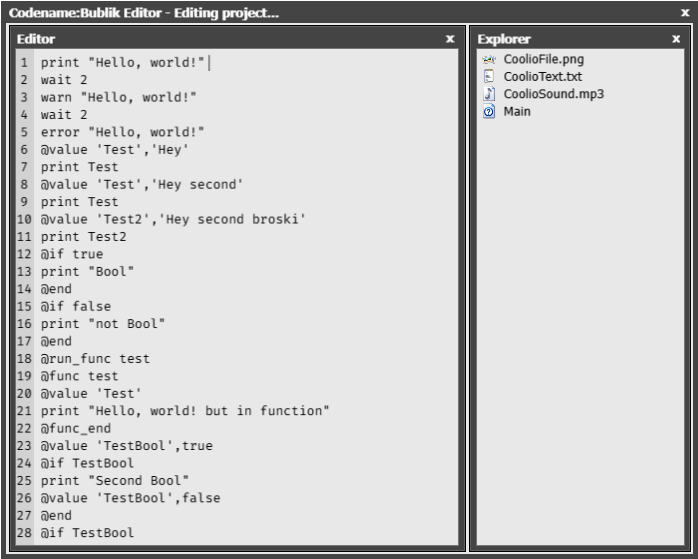
The interface is very simple(pic. 1). On the right side,there is the explorer.The explorer contains all of the project files. On the left side,there is the code editor.
The editor contains the project`s code that is going to be launched.
These are the shortcuts in the editor:
(Picture 1 ‘The editor’)